
Quick start
Prerequisites
| Tool | Version | Why |
|---|---|---|
| Go | 1.26.11 or newer | builds and runs the API |
| PostgreSQL | 16 or newer | the only database (local install, Docker, or a managed one) |
| Node.js | 20.19+ (22.23+ for the docs site) | builds the developer dashboard |
| make | any GNU make | shortcuts; every target is also a plain go command |
Run it
-
Make it your repository. On GitHub, press Use this template → Create a new repository. You get your own repository with a clean history, not a fork that points back here. (Just trying it out? Clone this repository directly.)
-
Clone and configure. Copy the example environment; every value has a working local default.
Terminal window git clone <your-repository-url> ims-go-api && cd ims-go-apicp .env.example .env -
Install the tools once.
air(hot reload) andgolangci-lint, then the dashboard’s packages.Terminal window make toolsnpm --prefix web/dev ci -
Start Postgres — skip this if you already have one running.
Terminal window make db-up # docker compose: creates ims_go_api and ims_go_api_test -
Create the schema and seed data. Migrations first, then permissions, the default tenant, roles and two accounts.
Terminal window make migrate seed -
Run everything with hot reload.
Terminal window make dev
$ make migrate seedgoose: successfully migrated database to version: 24River schema: v8 (0 pending)seeded permissions, tenant "Default", roles Admin + Developeraccounts: superadmin@ims.com, developer@ims.com$ make devvite → http://localhost:8080/dev/air → building ./cmd/app … running on :8081http server listening addr=:8081 env=localLook around
Open localhost:8080/dev/ and sign in:
| Account | Password | Can | |
|---|---|---|---|
| Super Admin | superadmin@ims.com |
123456 |
everything, every tenant |
| Developer | developer@ims.com |
123456 |
the developer dashboard |
The password comes from AUTH_DEFAULT_PASSWORD. The API reference (Scalar, from
api/openapi.yaml) is at localhost:8080/docs.
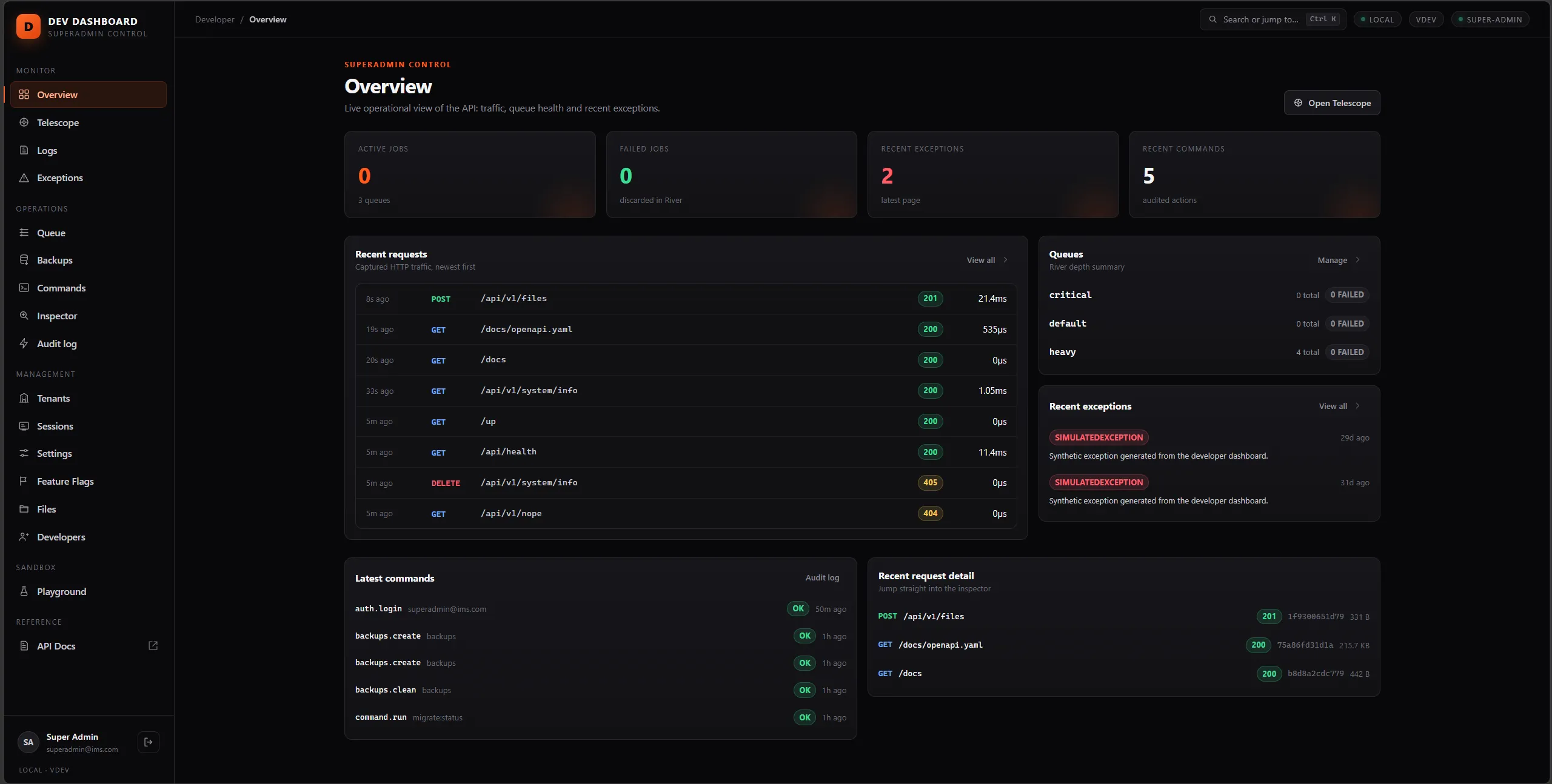
Call the API from a terminal:
TOKEN=$(curl -s localhost:8080/api/v1/login -H 'Content-Type: application/json' \  -d '{"email":"superadmin@ims.com","password":"123456","device":"cli"}' | jq -r .data.token)
curl -s localhost:8080/api/v1/branch -H "Authorization: Bearer $TOKEN" \ -H "X-Acting-Tenant: 1" -H "X-Acting-Branch: 1" | jq$login = Invoke-RestMethod http://localhost:8080/api/v1/login -Method Post ` -ContentType 'application/json' -Body '{"email":"superadmin@ims.com","password":"123456","device":"cli"}'$headers = @{ Authorization = "Bearer $($login.data.token)"; 'X-Acting-Tenant' = '1'; 'X-Acting-Branch' = '1' }Invoke-RestMethod http://localhost:8080/api/v1/branch -Headers $headersBackground work
Queue jobs (mail, imports, backups) and scheduled tasks run in their own processes. Start them in two more terminals when you need them:
make queue # ims queue:workmake schedule # ims scheduleNext steps
- Understand the request path: How it works.
- Find your way around the folders: Project tour.
- Build something: Your first module.
- Something not working? Local development & troubleshooting.